
Request translation
Collect source files and instructions for translation.
Upload editable InDesign, Illustrator, or Photoshop source files and Chamel handles translation, design application, and layout adjustment together.
Foreign-language materials
You still had to forward translations, check layouts, and relay revisions. One foreign-language asset kept the coordinator stuck in the middle.
Collect source files and instructions for translation.
Send the finished translation back to the design team.
Adjust line breaks and overflow caused by changed sentence length.
Keep passing changes between translation and design.
Chamel turns that handoff-heavy process into one task.
Finished result
We adjust the layout around translated sentence length so the original design flow is preserved as much as possible.
Original design

Japanese source
Translated layout result

Korean translated layout
Beyond translation
Chamel applies translated text into editable design source files and handles the layout adjustments needed afterward.
Translate the document into the selected target language.
Apply the translated text while preserving the existing design flow.
Adjust line breaks, overflow, font size, and spacing where needed.
You can also choose a review level that fits the purpose of the document.
Review options
Not every document needs the same review depth. Choose the level that matches its use and importance.
Checks missing translations, numbers, proper nouns, and terminology consistency.
Recommended: internal review, general documents
Adds meaning comparison and specialist terminology review.
Recommended: company profiles, product materials, public documents
Checks naturalness, expression, and tone for local readers.
Recommended: overseas marketing, exhibitions, official releases
Task management
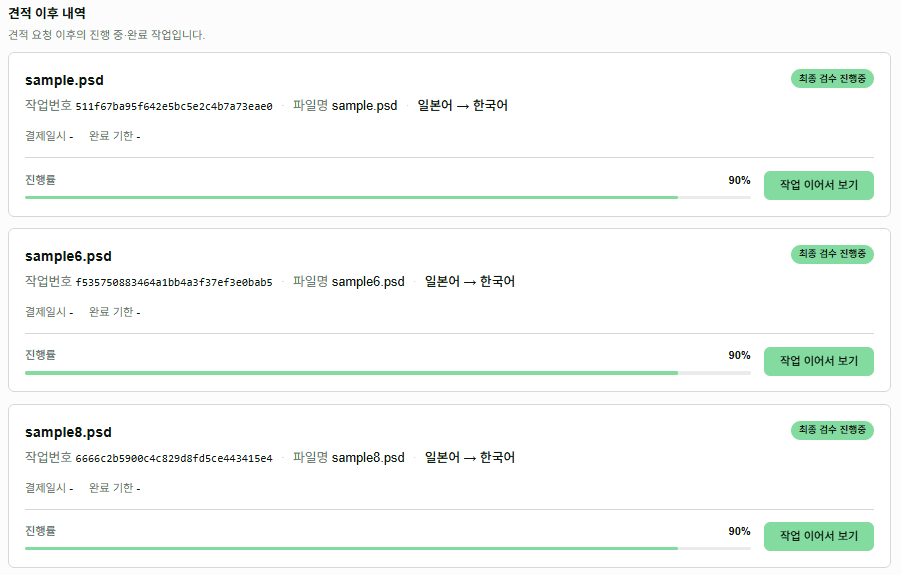
See stages and statuses in one place, and continue directly into any task that needs attention.
How it works
Upload editable InDesign, Illustrator, or Photoshop source files.
Review scope, estimated cost, and schedule from translation volume and design structure.
After payment, translation, design application, layout adjustment, and selected review begin.
Download editable result sources and PDFs when the task is complete.
Upload files to check scope and quote. After payment, Chamel continues through translation, design application, layout adjustment, and selected review.
Editable InDesign, Illustrator, and Photoshop source supported
Send files to Chamel